Accessibility in Web Design

Accessibility in web design refers to the process of making a website and its content available to everyone, including people with visual and mobility impairments. The introduction of the Equality Act 2011 made it law that websites need to have features incorporated into the design to enable access for people with a wide range of disabilities. Making sure they are not put at a “substantial disadvantage” compared to non-disabled users.

The areas that need to be covered are:

  • language – this needs to be clear, simple and easy to understand
  • motor – options for making it easier for people with difficulties using a keyboard and mouse
  • visual – ability to change the colour palette, contrast, type size and alternative text for images
  • hearing – subtitles, transcripts and sign language

The official BBC website is a great example of an accessible website design and includes an option for ‘accessibility help’  at the bottom of each page. The screenshot below shows the different options available for users covering the four areas required.

bbc website accessibility help

Users who have difficulty with language are presented with a variety of options that would make it easier for them. Including the ability to change the font settings to  make the content easier to read, make the text larger or how to use text-to-speech readers.

bbc website reading help

In addition to options for changing font settings and how to use text-to-speech features people with eyesight impairments are also offered help with magnifying the screen and increasing the size of the mouse pointer.

bbc website eyesight help

The ability to change the text colour is also available for those with eyesight impairments such as colour blindness.
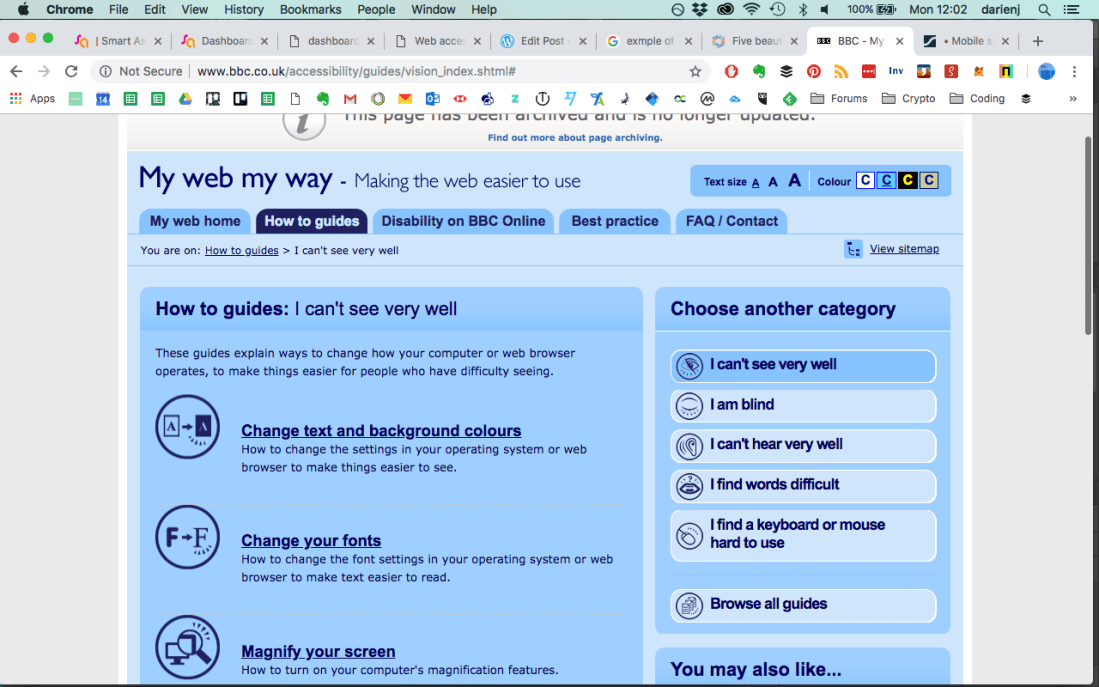
bbc website text colour change

Options for people with mobility issues are also extensive. These include help with making a keyboard and mouse easier to use, an overview of alternative input devices and how to use speech-recognition systems on different operating systems.
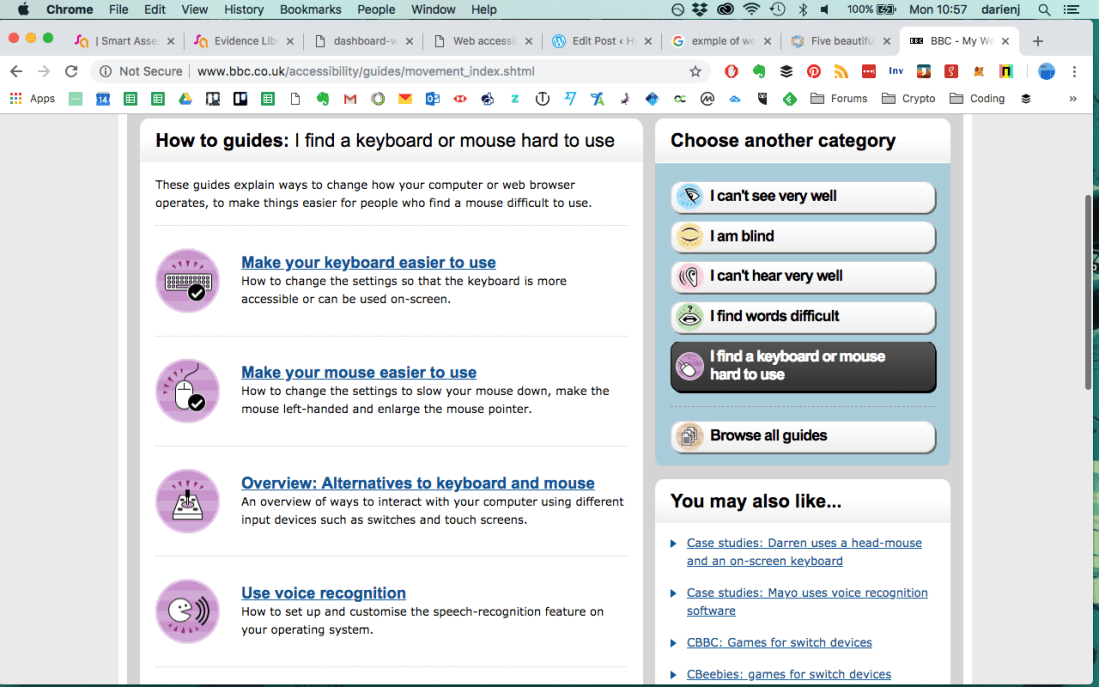
bbc website mobility help

People with hearing disabilities are given options to convert content into sign language and how to turn on subtitles.
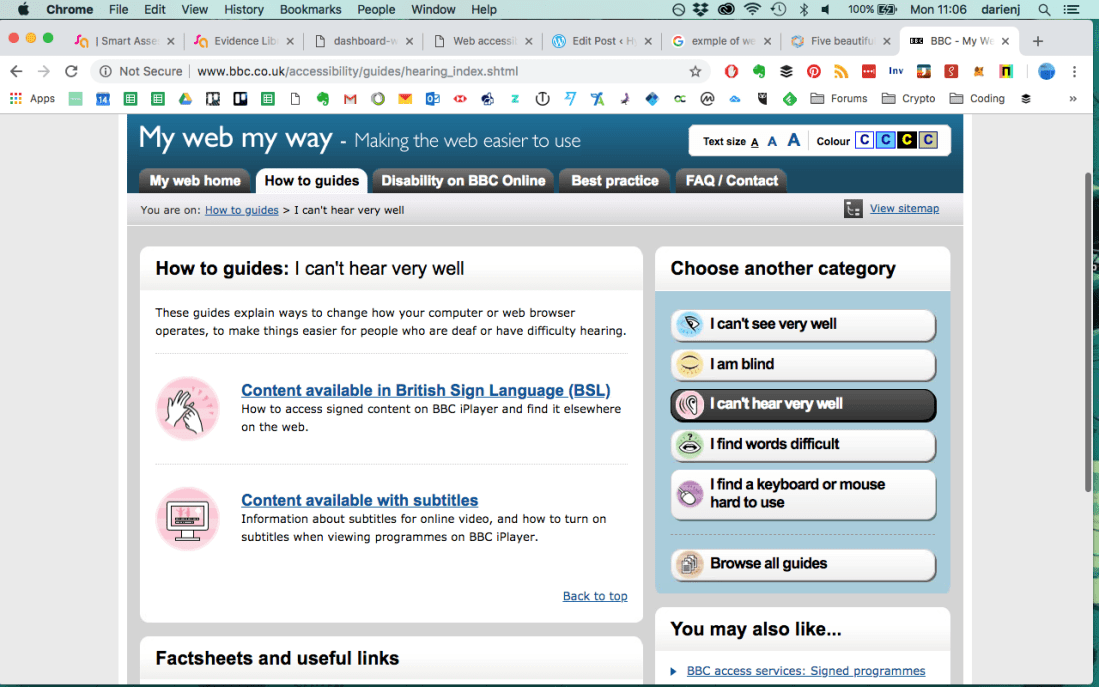
bbc website hearing help

According to the Statista website 52.2% of website traffic in 2018 was from mobile devices so accessibility is increasingly important when websites are viewed on devices other than desktop computers. This is known as ‘responsive’ design and ensures websites can be viewed on a variety of devices such as mobile phones, tablets, desktops or any device connected to the internet.

Accessibility Plan for My Website

When designing the website for my radio show it is going to be important that all content is accessible. There will be a number of links to audio files and lot of visual content so the following will be taken into account:

Language – this will be need to be clear and simple so everyone is able to read the content and navigate around the site with ease

Colour – strong contrasting colours so the different sections of each page are clearly visible

Images – the links to audio files will be accompanied by large and clear images so they can be easily identified and include alternative text

Responsive – the emphasis on audio content will add importance to the ability to use the website on mobile devices so a fluid design that works on all devices will be needed



Diegetic/Non-Diegetic Sound

There are two types of sound used in video known as diegetic and non-diegetic. In this blog I will explain the difference between the two and show some examples.

Diegetic Sound

This is the sound that relates to action on the screen where the source of the sound can also be seen. Also known as actual sound – it is the sound that is coming from within the world of the film such as:

  • character dialogue
  • sounds made by people or objects
  • music from instruments or equipment

One of the most famous scenes using diegetic sound to great effect is in Francis Ford Coppola’s Apocalypse Now. By including a tape player in the scene to play Wagner’s Ride of the Valkyries throughout the scene it ensures all sound is diegetic which increases the level of realism and helps create a willing suspension of disbelief.

https://www.youtube.com/watch?v=Wi0nzmqp47A


Non-Diegetic Sound

This is the sound that isn’t implied to come from the action on the screen and the source of the sound cannot be seen. It can be said to originate from outside the world of the film such as:

  • narration or voiceover commentary
  • soundtrack music
  • sound effects only for dramatic effect

In this example from the final scene of the iconic original Blade Runner movie the non-diegetic soundtrack is used to great effect. To increase tension an orchestral percussion hit is used as an effect to add to the diegetic sound of the character leaping from one building to another at 23 seconds in the clip below.

There are times when the same sound can be used for both diegetic and non-diegetic purposes. This can be used to great dramatic effect and in this example from The Amazing Spiderman 2 is used as a transitional tool suggesting a change in attitude in the character. At 1:07 minutes Peter Parker removes the earphones but the music he was listening to continues for the audience.


Review of text and images

CV example:

When creating my CV I used the spelling and grammar readability checker in Word to make sure the score was above 60% before copy and pasting text into Indesign.

CVReadabilityScore.png

I made sure to tell the truth in all included content and made a reasonable estimation of my skills to translate into a graphical representation.

CreativeCVGraphicsExample.png

Blog post Example

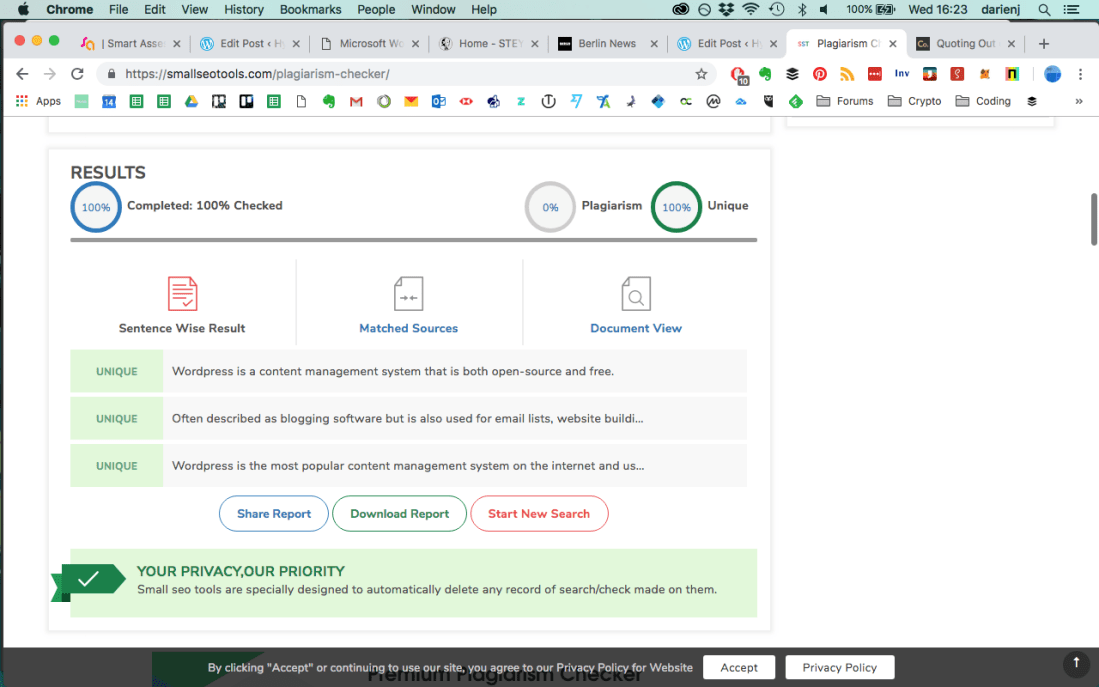
When writing the Digital Technologies blog post I used a free online plagiarism checker to make sure there was no unintentional plagiarism.

PlagiarismChecker.png

The results show that all sentences were unique for this paragraph of text.

PlagiarismCheckerResults2.png

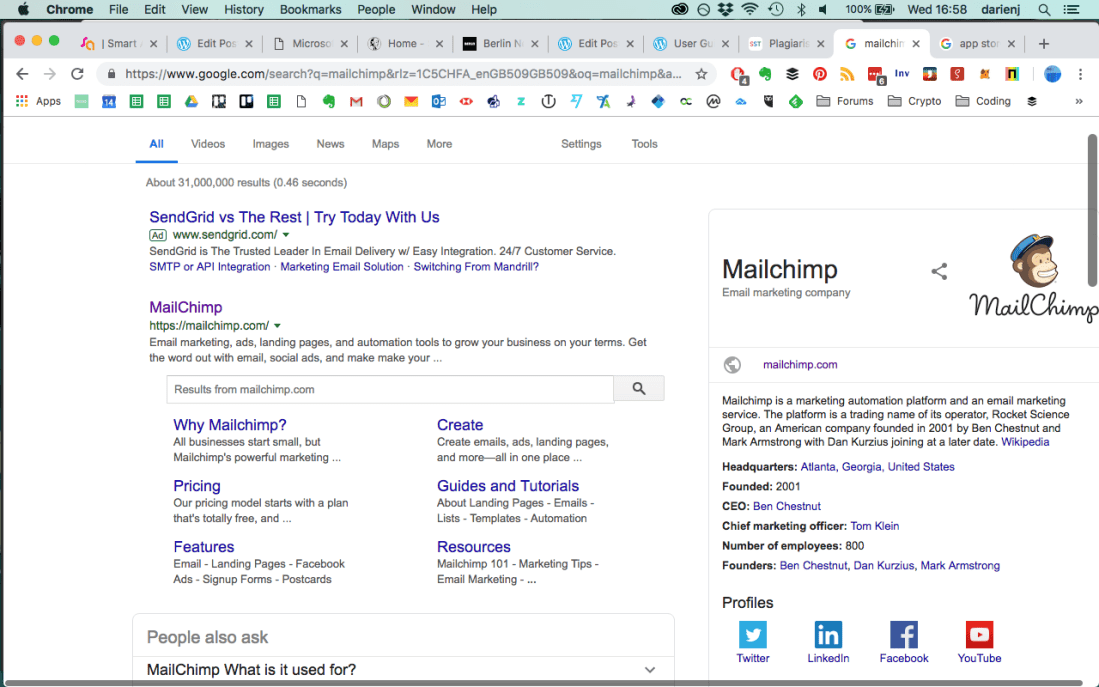
When writing about examples of digital technology companies I used information from Wikipedia and due to its editable nature would confirm data with their official websites to ensure the source of information was reliable.

Screenshot 2019-01-16 16.58.42.png

App description

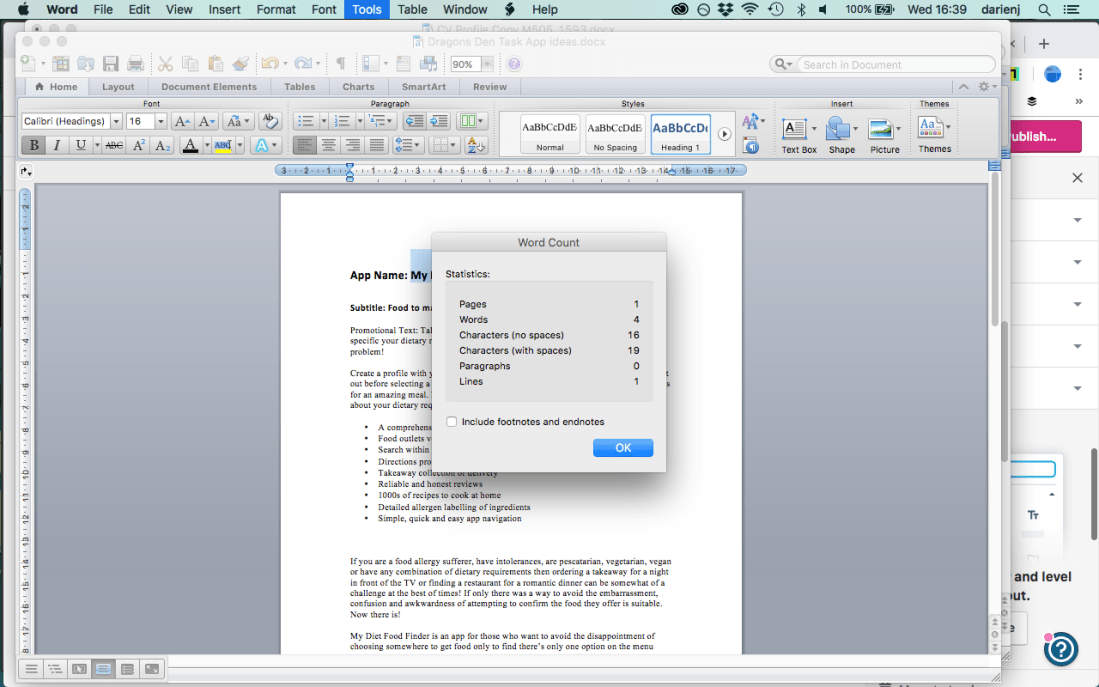
For the description of my app idea My Diet Food Finder I made sure to base my idea on existing technologies so my claims for its features were as accurate as possible. I followed the app store guidelines to make sure that the text was compliant. I used the word count feature in Word to keep the character count within the guidelines. In the screenshot you can see the title was within the 30 character limit.

AppTitleCharacterCount.png

Online review

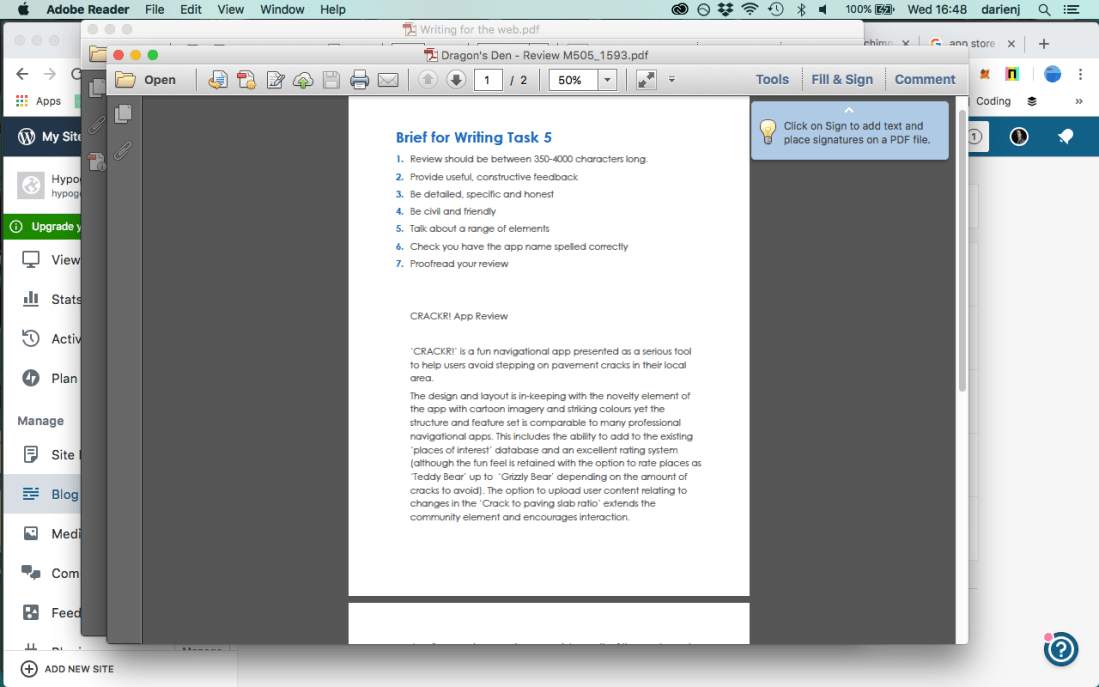
When writing my review for the CRACKR! app I made sure that any claims regarding it’s features were accurate and true to ensure there was no danger of libel or slander. My criticism was constructive, no names or personal details were used to avoid any privacy issues and by following the brief I was able to ensure the content was detailed, specific and honest.

AppReviewBriefCopy.png


Images

When using images in my blog posts I followed the WordPress guidelines so any images used were in a fair use context.

WordpressGuidelines.png

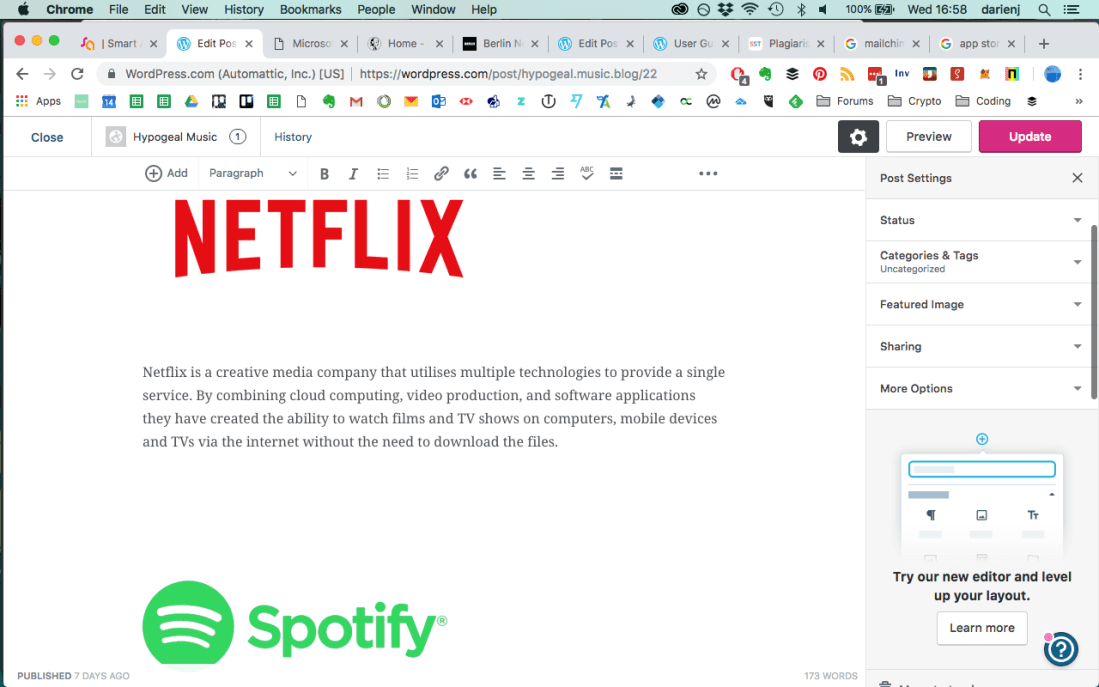
In my Converging Technology blog post I used images of the company logos in my examples and although I didn’t seek permission for their use it was in an educational context and can therefore be classed as fair use.

Screenshot 2019-01-16 16.58.08.png

I also used alt text for my images in my Digital Technology blog post which adds an attribute to the image in HTML code. This helps search engines to categorise images and will also replace the image with text should it fail to show.

Screenshot 2019-01-16 17.02.33.png

Here is the same image alt text as it appears in HTML code.

Screenshot 2019-01-16 17.07.25.png

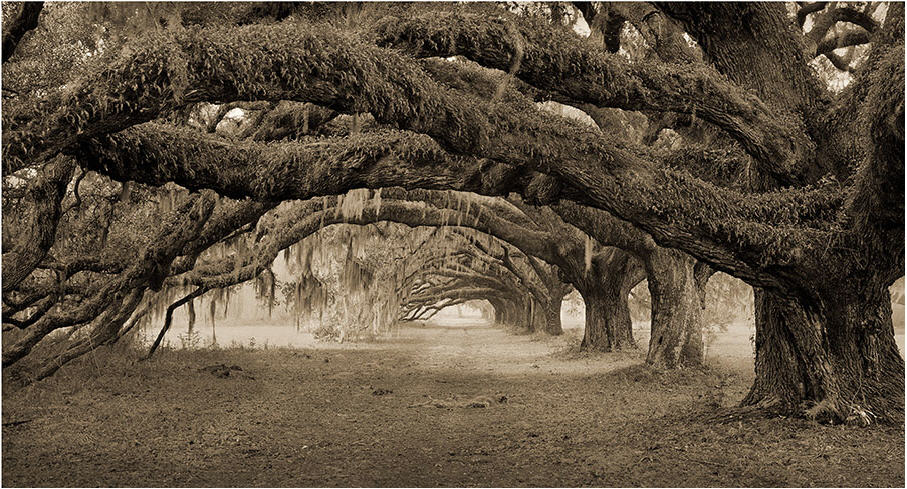
There are other legal considerations when using images. other than copyright. Images taken while trespassing can lead to prosecution, not for the image itself but that t was taken while on someone else’s land without permission. This image of trees on the Dixie Plantation was taken by Benjamin Ham even though there was a no trespassing sign and ended up in court as the picture was made available for sale. The case was settled out of court.

Plantation-Road-by-Benjamin-Ham-765005.jpg


Writing for Digital Media

Writing for different digital media channels can be challenging. This is due to the different way people read websites and other digital channels compared to traditional print media. According to research most users only scan web pages rather than reading the content word-for-word so this requires a different writing approach to grab the reader’s attention and relay the information quickly.

Example 1 – Blog Post

The content management system (CMS) where the blog will be published needs to be considered as it can affect your copy. The layout may dictate the size of area you wish to use and you may need to keep the text short to prevent your readers from scrolling endlessly. When writing a blog it is also important to convey the subject of the post quickly so the title must be large and clear.

In the Converging Technologies blog post below I use short paragraphs and include images to break up the text. This helps to grab the attention of the reader and encourage them to read further. Keywords were included throughout the text to increase the likelihood of the post appearing in search engine results.

blogpostexample

Example 2 – Online CV

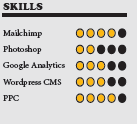
When writing for a CV that will be posted online it is important to make the layout clear with the important information easy to find. In the creative CV example below I used icons to clearly show my contact information and I added a graphical representation of my skills to reduce the amount of text needed and to increase white space. This helped to create a clear and simple design and I also used imagery and colour to help grab the reader’s attention. The language used is generally less colloquial than a blog post yet also needs to be concise.

CreativeCVExample.png

Example 3 – App Description

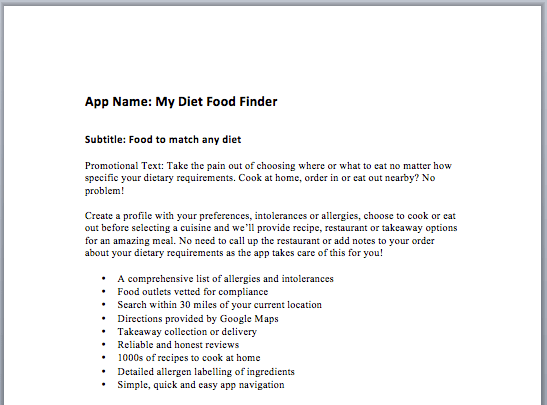
When writing an app description there are limitations as to how much text can be used due to where it will be displayed. In the example below the promotional text is limited by how much will be seen by the reader without them clicking the ‘see more’ option. It is important to get the message across about the purpose of the app and why the user needs it in the first 170 characters to encourage them to read more. The use of bullet points helps to highlight the main features of the app without the need for reading lengthy text.

CreativeCVExample_v2.png


Converging Technologies

Converging technology is the term used to describe when two or more existing media or telecommunications technologies come together into a single device or system. There are many companies in existence today that have developed from combining  different technologies to provide new services.

Netflix Logo

Netflix is a creative media company that utilises multiple technologies to provide a single service. By combining cloud computing, video production, and software applications they have created the ability to watch films and TV shows on computers, mobile devices and TVs via the internet without the need to download the files.

Spotify Logo

Spotify is another creative media company that also utilises cloud computing. They combine it with audio recording/production and software applications for both computers and mobile devices to create a music streaming service via the internet.

amazon logo

Amazon is a creative media company that utilises countless technologies to provide a comprehensive technology based service for their members. Not only are they one of world’s largest e-commerce platforms they also provide video streaming via the internet, cloud data storage and eBook publishing.


File Formats & Codecs

.WAV is the file extension for Wave files and is an uncompressed lossless audio format widely used for its high quality. Its large file size means it is more popular for professional use. Available to download from audio library websites for use on TV, radio, DVD and public performance when high quality is paramount. Files can be converted to lesser quality, smaller file sizes for further use online.

.MP3 is the file extension for Mpeg Layer 3 file format. It is a compressed format with a very small file size but at the expense of lower quality. Popular for consumer use and is the most common format for podcasts, music streaming and DJ use.

.MOV is a video file format available in uncompressed Pro Res or Compressed options. A  high quality and versatile format with a large file size.  Most often used in video editing software where high quality is essential.

.MP4 (H.264) Motion Picture Experts Group is a video file format offering small file size but at high quality. It can also be used for audio and other data such as subtitles or still images. A computer program called a codec is needed to encode or shrink large video files to enable transfer over the internet and speed up downloads. It also enables decoding of files for viewing.

.PNG or Portable Network Graphics is a high quality lossless data compression vector and graphics file format used when transparency is needed in designs so they can be used in varied situations. Often used for logo design and to store graphics for website use.

.SVG Scalable Vector Graphics is a high quality two-dimensional vector image format that allows for editing without loss of quality. It is commonly used for displaying graphics on websites for its endless scalable qualities.

Digital Technologies – K615/3176 & M615/7908

wordpress_blue_logo.svg Wordpress

WordPress is a content management system that is both open-source and free. Often described as blogging software but is also used for email lists, website building, forums and e-commerce stores. WordPress is the most popular content management system on the internet and used by over 30% of websites.

mailchimp_logo Mailchimp

Mailchimp is an email marketing platform that has developed into a full digital marketing automation service. Used for sharing email lists, landing pages and ad campaigns. It can be integrated with many popular content management and customer relationship management systems. Like many similar platforms it has a free membership option.

canva_logo Canva

Canva is a website for graphic design with simple drag and drop functionality suitable for both beginners and professional designers. It is free to use and has thousands of layouts and over a million images, filters, icons, shapes and fonts. An educational element is also available with the recent introduction of a Design School.

buffer_logo Buffer

Buffer is a mobile and web software application for managing accounts on social media networks. It enables scheduling and sharing posts on social networks including Facebook, Twitter, Instagram and Linkedin. It also offers the ability to analyse results and engage with communities direct from the platform.

unsplash_logo Unsplash

Unspalsh is a website for hosting and sharing stock photography. It allows photographers to upload their images for inclusion in the Unsplash library under the Unspalsh licence. Photographs can be downloaded for free by users and used in any project.